Open source · Flutter · Dart · 2018 — present
photofilters
A Flutter package for applying colour and convolution filters to an image. Forty-three presets in the box, and a small set of primitives to compose your own.
Written in 2018 because the library I needed did not exist yet. Pure Dart, no platform channels, no native code — the same filter pipeline runs on Android, iOS, desktop and web. It has been on pub.dev ever since.
431
GitHub stars
142
Forks
265
pub.dev likes
43
Preset filters
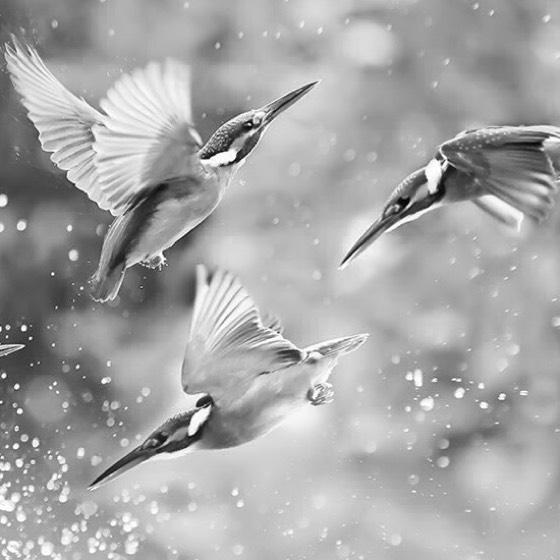
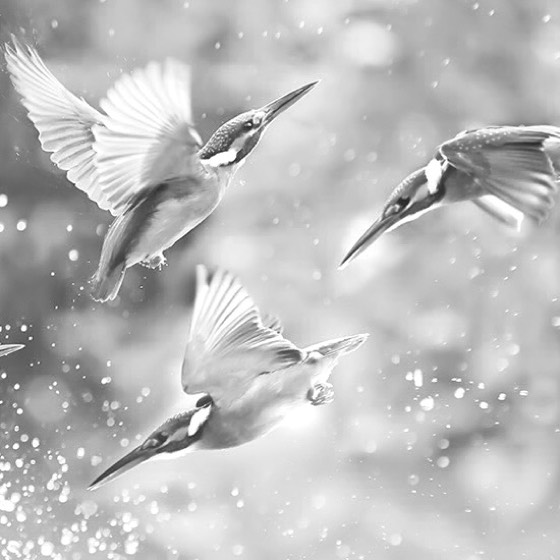
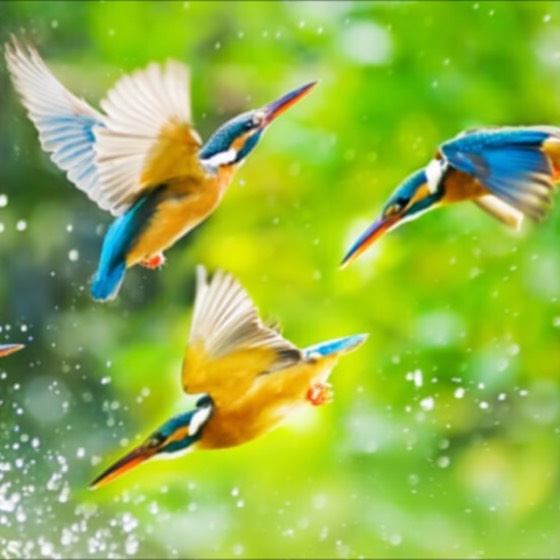
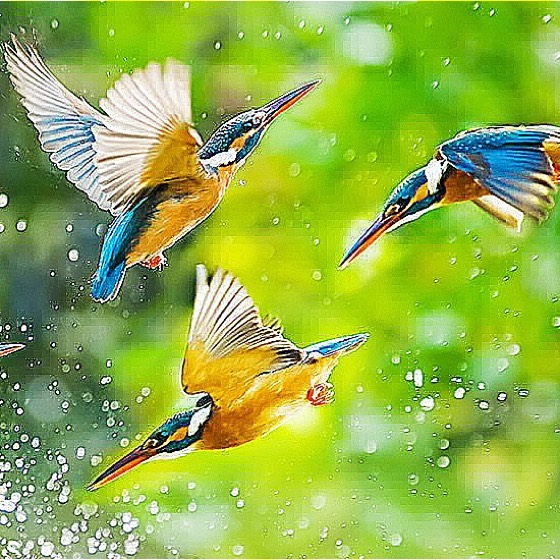
One image, ten presets — renders from the repository
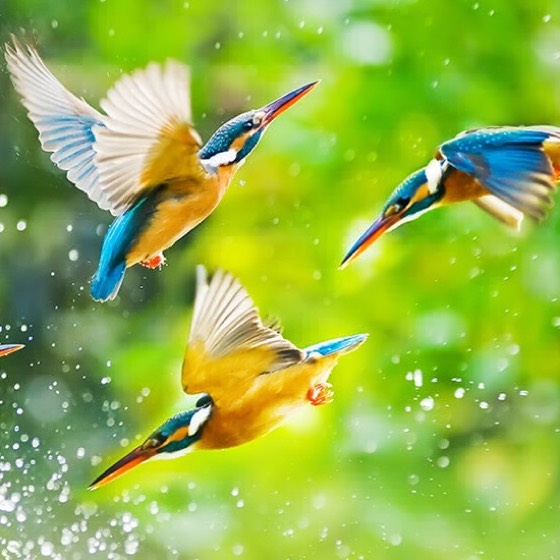
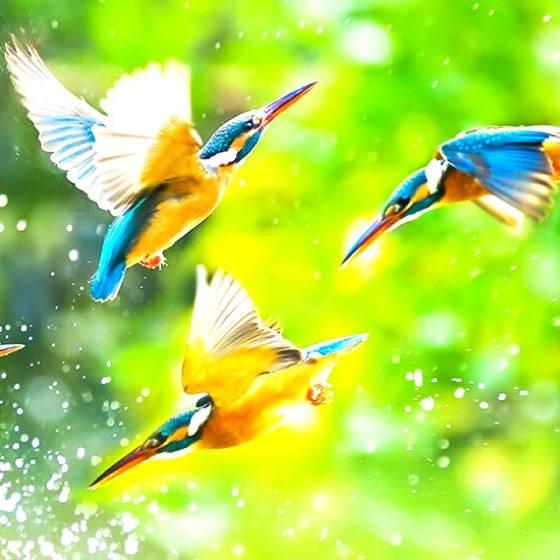
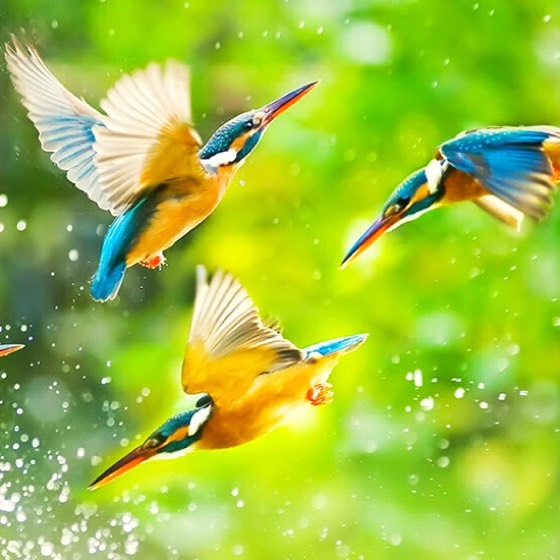
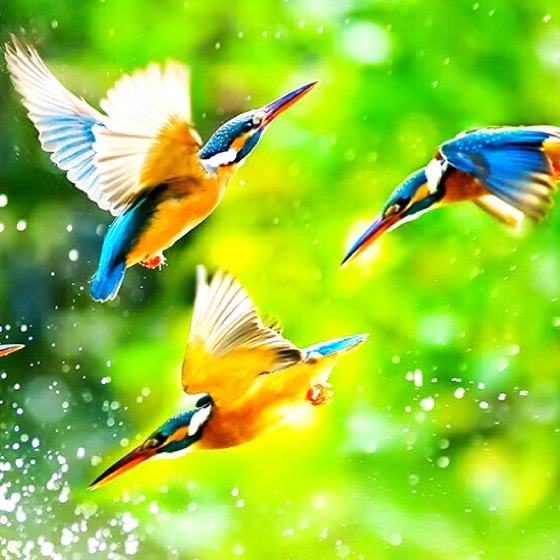
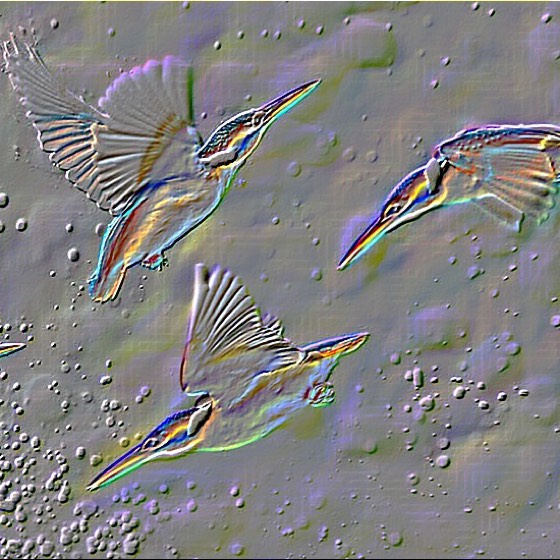
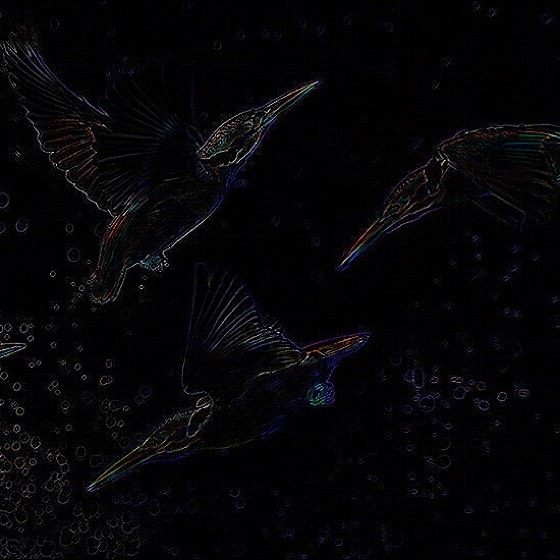
01 The problem, in 2018
My first project at Purpleboat AI was Tempah, a scheduled food delivery platform for the Malaysian market. Customers picked future delivery slots and set up recurring orders; the mobile app was Flutter, on 1.x.
Vendors uploaded photos of their dishes from the vendor app. Phone-camera food photos taken in a restaurant kitchen do not look appetising, and the catalogue looked worse for it. The fix was obvious — let vendors apply a filter before uploading, the way every social app already did.
Flutter was young. There was no package that did this. ColorFiltered and BackdropFilter operate on the rendered widget, not on the bytes you are about to upload, and native image libraries meant writing and maintaining two platform channels. So I wrote the filter pipeline myself, in Dart, against the raw pixel buffer.
It shipped inside Tempah, then went to pub.dev in October 2018 in case anyone else hit the same wall. A few hundred people did.
Design constraints
Pure Dart. No platform channels, no per-OS maintenance burden.
Operate on bytes, not on widgets. The output has to be a file you can upload.
Filters must be composable, not hard-coded. A designer asking for “the same as Valencia but warmer” should be a three-line change.
Never block the UI thread. Filtering a 600px image pixel-by-pixel in Dart is not free.
Preview cheaply, render once. Thumbnails for forty-three filters cannot each cost a full-resolution pass.
02 Repository
How the repository is laid out
Thirteen files under lib/, split by responsibility: abstractions, filter types, the primitives they are built from, the maths, and one widget layer on top.
photofilters/
├── lib/
│   ├── photofilters.dart          # public barrel — the only import consumers need
│   ├── models.dart                # RGBA value object
│   ├── filters/
│   │   ├── filters.dart           # Filter + SubFilter abstractions
│   │   ├── color_filters.dart     # ColorFilter, ColorSubFilter — per-pixel family
│   │   ├── image_filters.dart     # ImageFilter, ImageSubFilter — whole-buffer family
│   │   ├── subfilters.dart        # the 11 concrete primitives
│   │   ├── preset_filters.dart    # 43 named presets + presetFiltersList
│   │   └── convolution_filters.dart # 15 kernel presets
│   ├── utils/
│   │   ├── color_filter_utils.dart  # pure maths, one RGBA in → one RGBA out
│   │   ├── image_filter_utils.dart  # pure maths, in-place on Uint8List
│   │   ├── convolution_kernels.dart # named kernel constants
│   │   └── utils.dart               # RGB ↔ HSV helpers
│   └── widgets/
│       └── photo_filter.dart      # PhotoFilter + PhotoFilterSelector
├── test/                          # convolution, custom filters, preset filters
├── example/                       # runnable Flutter app
├── exampleimages/                 # per-filter sample renders used in the README
└── res/bird.jpg                   # fixture image for tests and docs
The rule the layout enforces
Everything in utils/ is a pure function with no knowledge of filters, and everything in filters/ is a description of which functions to run in which order. Nothing in either directory imports Flutter. The dependency on Flutter appears only in widgets/. That is why the maths is testable in a plain Dart test with no widget harness, and why the package works anywhere Dart runs.
03 Core model
Two abstractions, and the split that matters
A Filter has a name and one method: apply(Uint8List pixels, int width, int height). A SubFilter is a single named effect. A filter is an ordered list of subfilters. That is the whole model.
The split that carries the design is how a filter walks the buffer. There are two families, and choosing between them is the main performance decision a user of the library makes.
ColorFilter
Per pixel
Walks the byte array once, in strides of four (RGBA).
Builds an RGBA for each pixel, threads it through every subfilter in turn, writes the result back.
Cost is O(pixels), independent of how many subfilters you chain.
Can only express point operations — a pixel's new value depends on its own old value and nothing else. Brightness, contrast, saturation, sepia, hue rotation.
All forty-three presets are of this kind. That is deliberate: it is what makes a forty-three-thumbnail preview grid affordable.
ImageFilter
Whole buffer
Hands the entire buffer to each subfilter in sequence.
Cost is O(pixels × subfilters) — each one is a full pass.
Can express neighbourhood operations, where a pixel's new value depends on the pixels around it. Blur, sharpen, emboss, edge detection.
Used for the convolution presets.
The bridge
A primitive that is expressible both ways implements both interfaces. BrightnessSubFilter extends ColorSubFilter with ImageSubFilter — one class, one brightness field, two entry points, delegating to two pure functions that produce the same result by different routes. Point operations get to live in the cheap family and the expensive one at the same time.
04 Patterns
Patterns used, and what each one bought
Composite
Filter holds a list of SubFilters
Applying the filter means applying its children in order. Uniform treatment of one effect and a stack of eight. It is what lets ClarendonFilter be three lines: brightness, contrast, saturation.
Template method
ColorFilter.apply owns the traversal
The stride-4 loop, the pack and unpack, the write-back — delegating only the per-pixel transform to its subfilters. Every colour filter inherits a correct, single-pass walk it cannot get wrong. Subclasses supply behaviour, never iteration.
Strategy
Each subfilter behind a fixed interface
Swapping SepiaSubFilter for InvertSubFilter changes the output and nothing else. The preset classes are strategies assembled at construction time.
Mixins as capability, not inheritance
on SubFilter
Dart mixins let one primitive advertise membership of both filter families without duplicating the class or forcing a diamond. The constraint means the type system enforces that ImageSubFilter only lands on things that are actually subfilters.
Separation of policy and mechanism
filters/ decides what; utils/ knows how
The maths lives in namespace-imported free functions with no classes, no state, and no Flutter import. Testable in isolation, and readable next to the formula it implements.
Registry / catalogue
presetFiltersList, presetConvolutionFiltersList
Flat, ordered, public lists. A consumer passes the list straight to the selector widget, or filters it, or appends their own. No registration API, no plugin lifecycle — just a list you can copy.
Cascade notation as a builder
ImageFilter(name: "Sharpen")..addSubFilter(…)
Dart's cascade operator gives fluent construction without writing a builder class or a copyWith chain.
Named constructor as adapter
ConvolutionSubFilter.fromKernel
Accepts a ConvolutionKernel (weights plus bias) and unpacks it into the generic weights-and-bias constructor. Kernels stay declarative data; the subfilter stays generic. Adding a new convolution effect means adding a matrix, not a class.
Kernel normalisation at the boundary
_normalizeKernel
Weights are normalised to sum to one before convolving, so kernels can be written in the readable integer form found in textbooks rather than pre-divided decimals.
Barrel file as facade
photofilters.dart
Exports the filter abstractions, the presets, the convolution presets and the widgets. One import for the ninety-percent case; the sub-libraries stay individually importable for anyone building custom filters.
Isolate offload
compute(applyFilter, …)
Filtering runs through Flutter's compute, which spawns a background isolate. The function it calls is a top-level function taking a single map argument — not a method, not a closure — because an isolate entry point must be a static target. That constraint is why applyFilter sits at file scope, and it is the single most consequential shape decision in the widget layer.
FutureBuilder for async render
widgets/photo_filter.dart
The widget renders the caller-supplied loader while the isolate works and swaps in Image.memory when it finishes. The loading widget is injected, so the package ships no opinion about spinners.
Memoisation
Map<String, List<int>> cachedFilters
Keyed by filter name. Scrolling back to a filter you already previewed is a map lookup, not a second isolate round-trip. Saving is then trivial: the accepted image is already in the cache, so saveFilteredImage writes bytes it already holds.
Downsample for preview, full pass on commit
buildThumbnail
Resizes first and filters second, so the thumbnail strip pays for a small buffer per filter and the full-resolution pass happens once, for the one filter the user actually chose.
05 Widget layer
Two widgets, and what they refuse to decide
PhotoFilter is stateless: an image, a filename, one filter, and it renders the result. PhotoFilterSelector is the full screen — the preview above, a horizontal strip of circular thumbnails below, a tick in the app bar that writes the chosen render to the application documents directory and pops the route with the resulting File.
Returning through Navigator.pop rather than a callback was chosen so the selector composes as a route: push it, await it, get a file back. It fits the flow a vendor upload screen already has.
What the widgets deliberately do not decide: which image picker you use, what your spinner looks like, what your app bar colour is, whether the preview is circular or rectangular, or where the file eventually goes. Those are parameters. The package’s job ends at “here is a filtered file”.
06 Extending it
Composing your own
Compose a filter from existing primitives
Instantiate ColorFilter, add subfilters, done.
Subclass for a reusable named filter
Extend ColorFilter or ImageFilter, add subfilters in the constructor. This is exactly how all forty-three presets are written; there is no privileged path.
Write a new primitive
Extend ColorSubFilter for point operations, mix in ImageSubFilter if it can also be done in one buffer pass, or implement ImageSubFilter alone for neighbourhood operations.
The presets are not a fixed menu. They are worked examples of the extension API, and they are the same size as anything you would write.
07 Where it went
Built on it
I have never had a proper accounting of who uses this. Package managers do not report back, and most of the apps are closed source. What follows is what is publicly visible: packages built on the same shape, apps that shipped it, and tutorials written by people I have never met.
Tier 1
Derivative packages and libraries
image_filter_pro (pub.dev, vocsygautam/image_filter_pro, 2024). A published Flutter package with a photo_filter.dart library, a PhotoFilter widget taking image, presets, cancelIcon, applyIcon, and a NamedColorFilter.defaultFilters() preset catalogue. Same shape, restyled UI, its author's first published package.
Localisation forks. pranavkpr1/photofilters-master adapts the preset catalogue with Hindi filter names — someone taking the extension API and reaching for the part of it the design intended to be swapped.
Tier 2
Applications
Edenik/Flutter_PhotoFilters — filters plus a custom camera screen, spun out of the author's InstaDart project.
joardar-aditya/tokin — an image and video editing app in Flutter.
myvsparth/flutter_photo_filter — a camera-capture-then-filter app, written as the companion repo to a published walkthrough.
Plus 142 forks on GitHub, and the long tail of closed issues from people integrating it into apps that were never open-sourced.
Tier 3
Tutorials and write-ups by other people
Webkul's engineering blog — a step-by-step integration guide, still maintained and updated as recently as 2026.
C# Corner — “Photo Filters In Flutter”, a full tutorial with source.
FlutterAwesome, FlutterAppWorld, BestFlutterPack, flutter.website, FlutterAppDev, FlutterKit — the Flutter package-showcase circuit, from 2019 onwards.
Flutter Gems — catalogued under Edit, Save & Compress Multimedia.
Tier 4
Signals
431 stars · 142 forks · 265 pub.dev likes · 130 pub points · 14 releases · 55+ issues opened and answered.
For scale on trajectory: an archived snapshot from March 2020 shows 151 stars and 46 forks, so roughly two thirds of the interest arrived after I had stopped actively developing it.